Blog Entry 10 – The Many Uses of Google Classroom

Image result for google classroom

On Twitter this week I discovered an article written by Mr. Matthew Lynch about Google Classroom. The article is comprised of a list of 150 ways to better use Google Classroom. The list includes everything from creating report forms, to displaying student work, to accessing make-up work. Some of the features that I found may be useful in my class are collaborative note-taking, assigning different versions of an assessment, assigning remediation, and creating electronic scantron forms. One question I have about Google Classroom is if a  training for the program is available. With the many features that Google Classroom offers, I would love to attend a training that would give me more knowledge about the features and the ways they work. however, for now, the article that Mr. Lynch wrote is definitely worth checking out.

Resource:

Lynch, M. (2018, November 27). 150 Smarter Ways to Use Google Classroom. Retrieved December 3, 2018, from https://www.theedadvocate.org/150-smarter-ways-to-use-google-classroom/
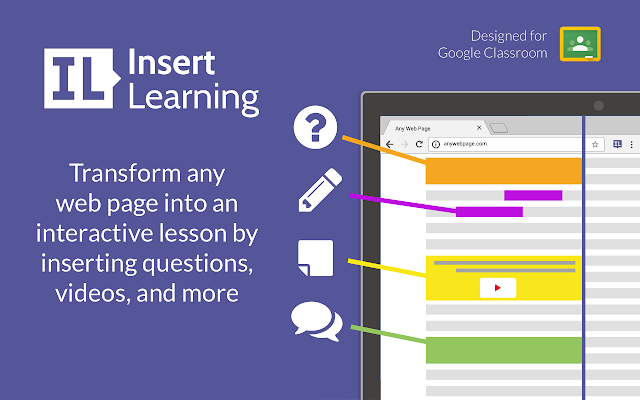
 

Image result for insertlearning

This week’s Google search for class technology tools produced a great find. InsertLearning allows you to turn any web page into instructional content. With this tool, you are able to embed questions and videos onto the webpage. You can even embed images and flashcards. This tool is an extension that you add to your Chrome browser. Access to the finished product can be granted through Google Classroom or with an assigned code. I would love to use InsertLearning as a way to help my students prepare for their assessments. The only challenge that I can foresee is keeping students on the correct website.

You may find more information about InsertLearning here.

Blog Entry 9 – ADHD and Assistive Technology

Image result for ADHD

This week on Twitter I discovered an article that focuses on using assistive technology to help students with ADHD succeed in school. Matthew Lynch talks about how using technology to set reminders, using audio books, speech recognition software, and talking calculators can help students. Mr. Lynch suggests that vibrating watches allow students to be in control of reminders, while audiobooks allow students that have difficulty focusing on reading to still attain the material. He also suggests that using speech recognition software can help those who struggle with writing and talking calculators to help students process what they are seeing. Personally, I have a child with ADHD and I could definitely see how these devices can be of assistance. I wonder what other assistive technology could potentially be of use to students with ADHD.

Resource:

Lynch, M. (2018, November 14). Assistive Technology to Help Children with Attention Deficit Hyperactivity Disorder (ADHD) Succeed Academically. Retrieved November 26, 2018, from https://www.thetechedvocate.org/assistive-technology-to-help-children-with-attention-deficit-hyperactivity-disorder-adhd-succeed-academically/

Image result for Edpuzzle

This week on Google I learned about a technology tool called EDpuzzle. EDpuzzle allows teachers to embed questions within videos. Not only does this keep the students engaged, but it also helps visual and auditory learners retain information. I would like to use this tool as a way to review before assessments. One challenge that one might endure when planning a lesson and incorporating EDpuzzle would be knowing how much extra time to allow students to answer embedded questions.

You may learn more about Edpuzzle here.

Blog Post 8 – Artificial Intelligence and Differentiated Instruction

Image result for artificial intelligence

Mr. Matthew Lynch has done it again. The original article allows one to consider how artificial intelligence can be useful in differentiated instruction. The article particularly discusses how artificial intelligence can meet the needs of k-12 students, higher education students, and how edtech companies can fulfill the needs for artificial intelligence.

Imagine being able to use the same academic program to meet the needs of students who function at lower levels, all the way to students who might need to be challenged at above grade level. Personally, I have seen a math program called V-Math that helps students at various educational levels reach the same goal. I saw great success with the program. My only concern with artificial intelligence programs is trying to understand how it might help all performance programs. In my classroom, students would be required to type their responses for keyboarding classes. These responses would provide good practice skills.

Resource:

Lynch, M. (2018, November 17). An Insiders View Into the EdTech Market for Artificial Intelligence. Retrieved November 25, 2018, from https://www.thetechedvocate.org/an-insiders-view-into-the-edtech-market-for-artificial-intelligence/

Image result for achieve 3000

This week google search provided use of another technology tool that provides differentiated instruction. Achieve3000 allows students to locate interesting nonfiction reading and writing material based on the students reading level and interest. One challenge that I could see during lesson planning would be justifying the use of a literacy tool for a keyboarding class. however, literacy should be considered as essential in every subject.

You may find more information about Achieve3000 here.

Blog Post 7 – Technology and Interactive Reading

Image result for google classroom

No matter what content any teacher is responsible for delivering, literacy is universal. This week on Twitter, I located an article that tells how Google Classroom can help students read in an interactive environment. There are several tools within Google Classroom that help students improve in reading while being engaged. The first tool recommended withing Google Classroom by Matthew Lynch is Newsela. Mr. Lynch talks about how the topic and subject areas covered through Newsela are of a great variety. The next tool recommended is Read&Write. This tool includes features across many learning styles. Next, Actively Learn helps teachers find supportive documents for their lessons to better help readers with literacy skills. Then there is PBS Learning Media which is a tool that is compatible with Google Classroom. Lastly, the author talks about Story Shares. This tool is geared toward teens and young adults.

Personally, I have never used Google Classroom, but I am interested to see how it can help my students improve their reading skills. Since I teach business courses, I would be most interested in Newsela since it extends across many topics and subjects. I also like that most of the tools are free. What Google Classroom tools do you think would be most helpful in your classroom?

Resource:

Lynch, M. (2018, September 25). Interactive Reading for the Google Classroom. Retrieved October 29, 2018, from https://www.thetechedvocate.org/interactive-reading-for-the-google-classroom


Image result for Teen Ink

Reading and writing support each other greatly. For this reason, I chose to do a Google search on a writing platform for students. This week’s Google search produced a writing publishing, and critiquing tool called Teen Ink. This tool is good for students between the eighth and twelfth grade. Teen Ink even hosts writing contests. For my classroom, I would like to have students use Teen Ink for help on writing small projects in which they could later type in keyboarding class. A challenge that I can foresee is that some of the high school writers have published material that may not be appropriate for some of the younger students to read.

You may find more information about Teen Ink here.

Blog Post 6 – Science Labs: The New Way!

science pic

As a former science teacher, I know first-hand that doing labs can be both costly and often requires bringing a lot of materials to class.  This week on Twitter, I found a great article on virtual labs. The article sheds light on how technology is constantly changing and creating new opportunities in the classroom. The article highlights how virtual labs are becoming more popular, and the benefits versus doing regular lab experiments. The writer of the article, Matthew Lynch, suggests that these benefits include: flexible access, instant feedback, top-notch equipment, and lower costs.

Personally, I have used a virtual lab experiment before. Not only was it less costly, but it took less time to prepare for. Normally, it takes time to get the materials together. Also, you often need to measure certain materials before the experiment can be performed. I would love to know what different websites or companies offer virtual labs.

Resource:

Lynch, M. (2016, April 23). 4 Benefits of Virtual Labs. Retrieved October 23, 2018, from https://www.theedadvocate.org/4-benefits-of-virtual-labs/


Related image

Speaking of virtual labs, my Google search produced a simulation tool. This tool can be used for science labs as well as math simulations. The tool is called Gizmos. You can find different Gizmos by the academic standard, the grade level and topic, and even by the textbook. These simulations even include assessment questions. As a project in keyboarding, I have the students type a report on something they are learning about in another subject. I could have the students complete a report on a science or math Gizmos project instead. The only challenge that I could foresee would be to make sure that all students are completing the same Gizmo for the report This is definitely a math and science tool worth looking into!

You may find more about Gizmos here.

Blog Post 5 – Collaboration Through Integrating LMS and Blogging

Image result for learning management systems

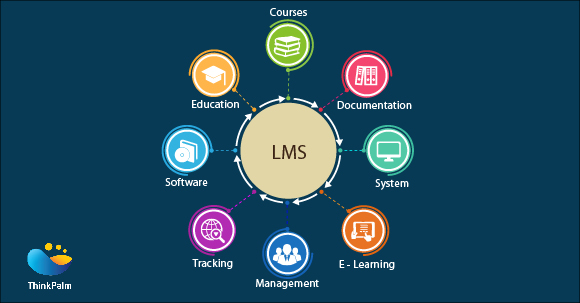
This week we learned about collaboration tools in class. I located a very interesting and relevant article concerning integrating LMS software into classrooms. Learning Management Systems (LMS) are collaboration tools throughout school systems and within many classrooms. These are tools that help educators get information to students as well as monitor and assess students. Many districts have created or adopted LMS software applications so that teachers can record student grades and deliver content.

Most teachers have used some type of LMS tool even if their district does not use anything in particular. For example, the article talks about how Edmodo, Canvas, and even our very well known Moodle are Learning Management Systems. The article also implicates how LMS are great options to reach students based on the large amount of time that students currently spend using technological devices. Personally, I would love to know how LMS helps to reach students at any and every level. For example, I would like to know how LMS systems work best in SPED classrooms and how they are best used in this setting.

Resource:

Sampson, A. (2018, June 28). LMS Software and the Integration of Technology in the Classroom. Retrieved October 8, 2018, from https://www.thetechedvocate.org/lms-software-and-the-integration-of-technology-in-the-classroom/


Image result for kidblog

This week I also discovered an awesome collaboration tool through the use of Google named Kidblog. Kidblog is a site that allows students to create blogs, and teachers the ability to moderate and comment. This gives teachers the ability to view all content before publishing it, creating a safe environment. Personally, I would like to give students topics of content learned and have them write about it on Kidblog. This would serve as a formative assessment to determine whether students have mastered content or not. One challenge to using this tool would be assuring that students are discussing the required toping while blogging.

Kidblog can be found at https://kidblog.org

Blog Post 4 – Wearable Technology and Safe Technology in the Classroom

Image result for smartwatch

Have you ever considered how one can use wearable technology in the classroom? This week’s highlighted article found on twitter talks about using fitness trackers, virtual reality, smart watches, video recorders, and Google Glass in the classroom. The writer of the article gives some great ideas on incorporating these forms of technology into education. For example, he talks about how fitness trackers can be used in P.E., and how Google Glass can be helpful in special education. Overall, I found the article to be informative. I am less versed in Google Glass and would love to further research the capabilities of the device.

Resource:

Lynch, M. (2017, June 25). Five Ways to Leverage Wearable Technology in the Classroom. Retrieved October 17, 2017, from https://www.thetechedvocate.org/five-ways-leverage-wearable-technology-classroom/

Image result for Safe YouTube

This week I also learned through a google search about SafeYouTube. This tool helps to eliminate inappropriate content and videos. I will use SafeYouTube to safely play video in class that helps to enrich the content. I will no longer have to worry if something inappropriate will play. One challenge to implementing SafeYouTube would be if the site accidentally labels safe content as inappropriate. For example, certain videos that may be used for fertilization videos in science could potentially be marked as inappropriate.

You may learn more about SafeYouTube at http://safeyoutube.net/?utm_campaign=elearningindustry.com&utm_source=%2F10-technology-tools-for-teaching-and-learning-part-1&utm_medium=link


Blog Post 3 -Poll Everywhere

Unfortunately this week I was unable to post an article from twitter. For unknown reasons, my account was suspended. However, this week I have used a search engine to provide a wonderful tool in technology. If you have never heard of Poll Everywhere, it is definitely a tool worth checking out. This is an interactive tool that provides polls that allows audience members to provide immediate feedback. There are several ways that the feedback may be received, including a multiple choice format, an open-ended format, a word cloud, picture format, and others. The results can be projected so that everyone can view the results, kept privately, and even includes the choice of whether the names or displayed or not. While there is a paid version, the free version offers many options. There are many ways that teachers can utilize this tool in their classroom. I currently use this as an exit ticket that allows me to formally assess my students. I have also used this tool to have my keyboarding students submit their bell work. I use the open-ended question format and ask the students to type the assigned work.

Image result for polleverywhere

To find out more about Poll Everywhere, visit the site at https://www.polleverywhere.com/


Blog Entry 2 – Read-Aloud and Simplified Reading in Microsoft Edge

edge

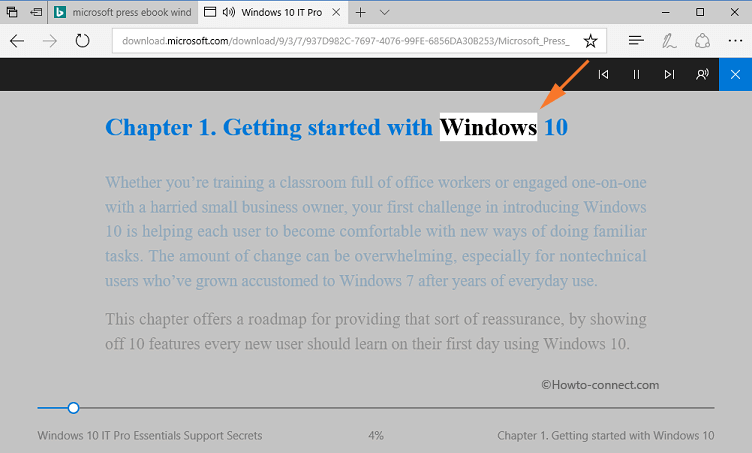
This week I viewed a short article with a video that focuses on the accessibility options available in the Microsoft Edge browser. This browser not only gives the reader the ability to assess a read-aloud option, but it also allows for a simplified reading format. Simplified reading allows the website to transform into a format that looks more like a book with enlarged words. The reader can also change the speed and voice with the read-aloud feature. Personally, I believe that these two great features of Microsoft Edge are great for the auditory learner, as well as learners with low vision. Do you think that the preferred settings in the readability feature can be saved? I guess I’ll have to do more research on this tool

The original article and video about the features of the Microsoft Edge browser can be found here:  https://www.freetech4teachers.com/2018/09/how-to-use-read-aloud-option-in.html?utm_source=dlvr.it&utm_medium=twitter

Speaking of technology tools for students with low vision, NuEyes is cutting-edge technology. NuEyes are electronic smartglasses that look like sunglasses. These glasses allow for magnification, high contrast, and speech recognition that help people with low vision to see again. Even those who have been diagnosed as legally blind are able to have their sight restored while wearing NuEyes. I would like to use them in class for students who are suffering from low sight and struggle to complete regular class activities due to vision loss. As a teacher, one must be patient when a student requires the use of the smart glasses. They may need adjusting at times due to different situations and activities. Planning for extra time so that the student may adjust and prepare themselves for the activity should be considered.

For more information about NuEyes, please visit the following website:  https://nueyes.com/


Blog entry 1 – Technology and Student Feedback

Teachers are required to receive student feedback to assess their knowledge and skill level of a lesson. This week I was able to discover an article that presents a tool called Flipgrid, which allows teachers to gain feedback from their students through the use of technology. Flipgrid allows students to give feedback on topics presented by their teacher through the use of short videos that students record. Not only is the experience engaging, but it is also interactive. Students can also give feedback to their peers by video response. Personally, I would like to use Flipgrid as an exit ticket as a way to formally assess students. However, I could personally think of many ways to use Flipgrid. I would love to know how many grids that teachers are allowed to have open at once? In what ways do you think Flipgrid could be used in your classroom?

Image result for Flipgrid

Original article link: https://www.educatorstechnology.com/2018/09/a-good-web-tool-for-collecting-students.html?utm_source=dlvr.it&utm_medium=twitter

Another tool that I like to use as a formal assessment is Kahoot! One instructional strategy that can be used to implement Kahoot! is to use it as a review for the summative assessment. This tool is presented in a game-like format that allows learners to compete against one another. One challenge that can be presented when using Kahoot! as part of a lesson is classroom management. The game can be very competitive and students often can get loud and rowdy while playing.

Let me know what you think about this weeks technology highlights.